
01 · Visibility
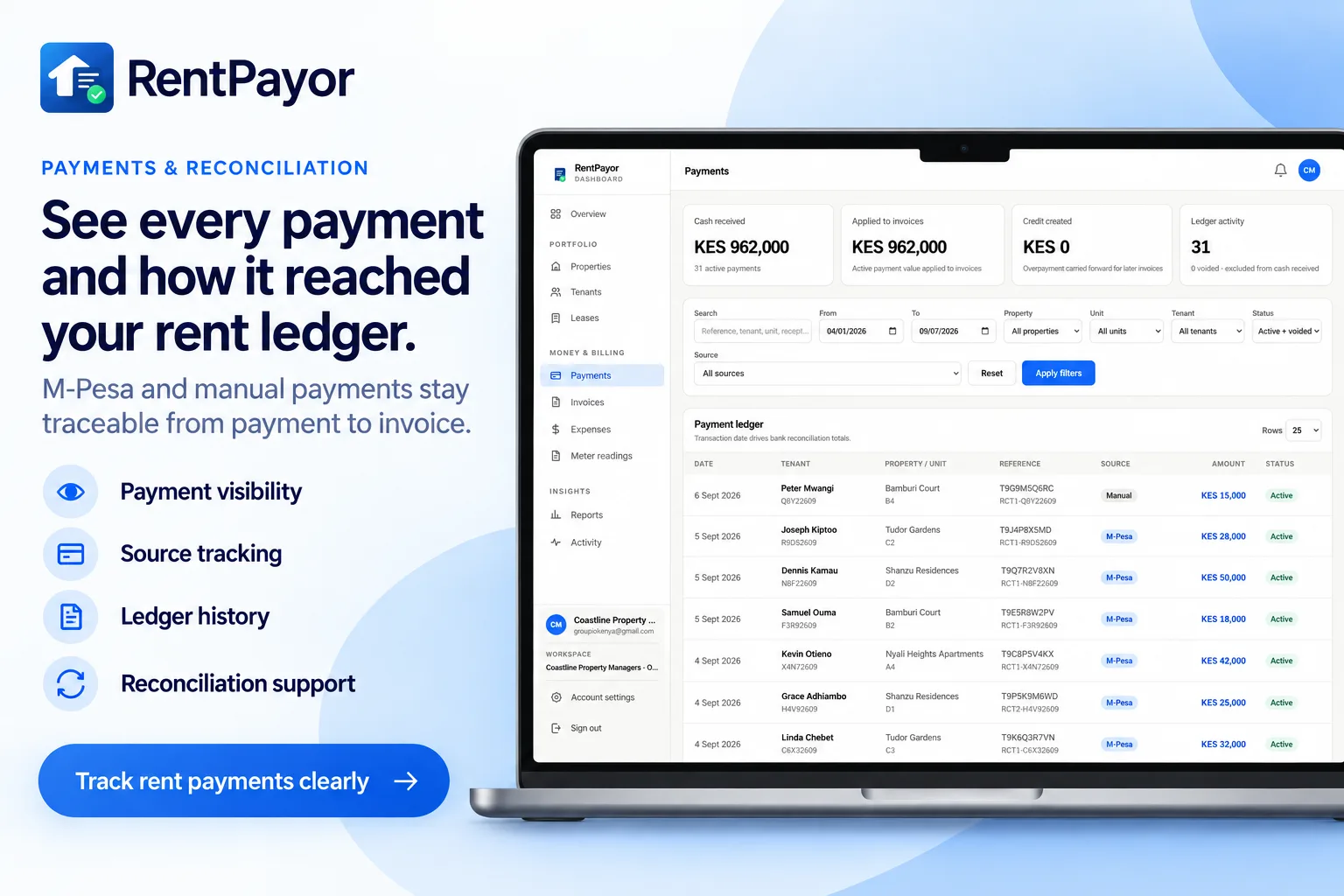
See confirmed collections in the ledger
The payments view gives the team a shared record of incoming rent and the references needed to investigate a transaction.
Automated rent reconciliation
Stop matching M-Pesa messages to rent invoices by hand. RentPayor validates the confirmed payment, applies it to the invoice that started the request, and updates the balance.
Visibility → allocation → proof
01 · Visibility
The payments view gives the team a shared record of incoming rent and the references needed to investigate a transaction.
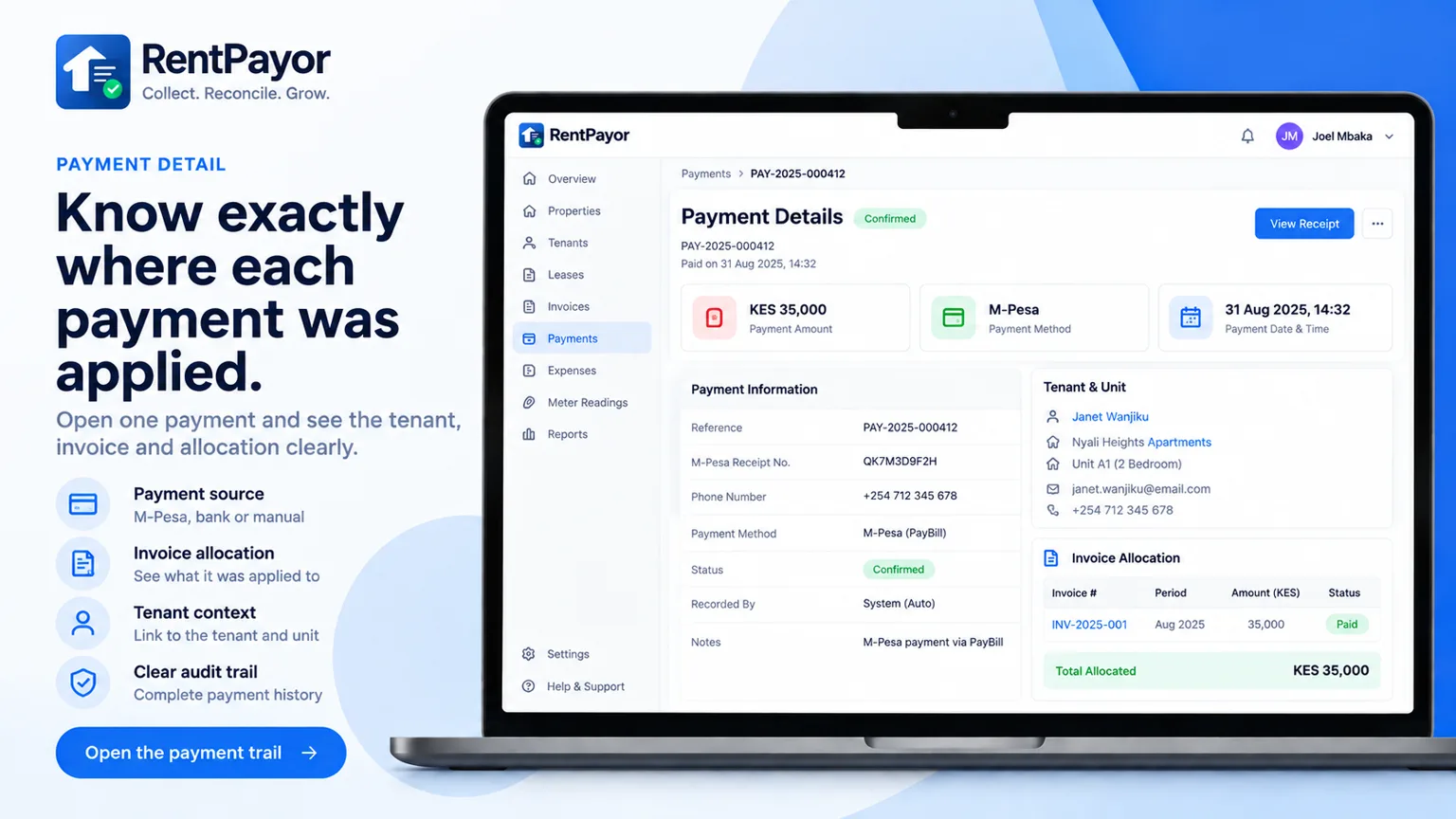
02 · Allocation
Payment detail keeps the tenant, property, unit, invoice, amount applied, status, and provider reference together.
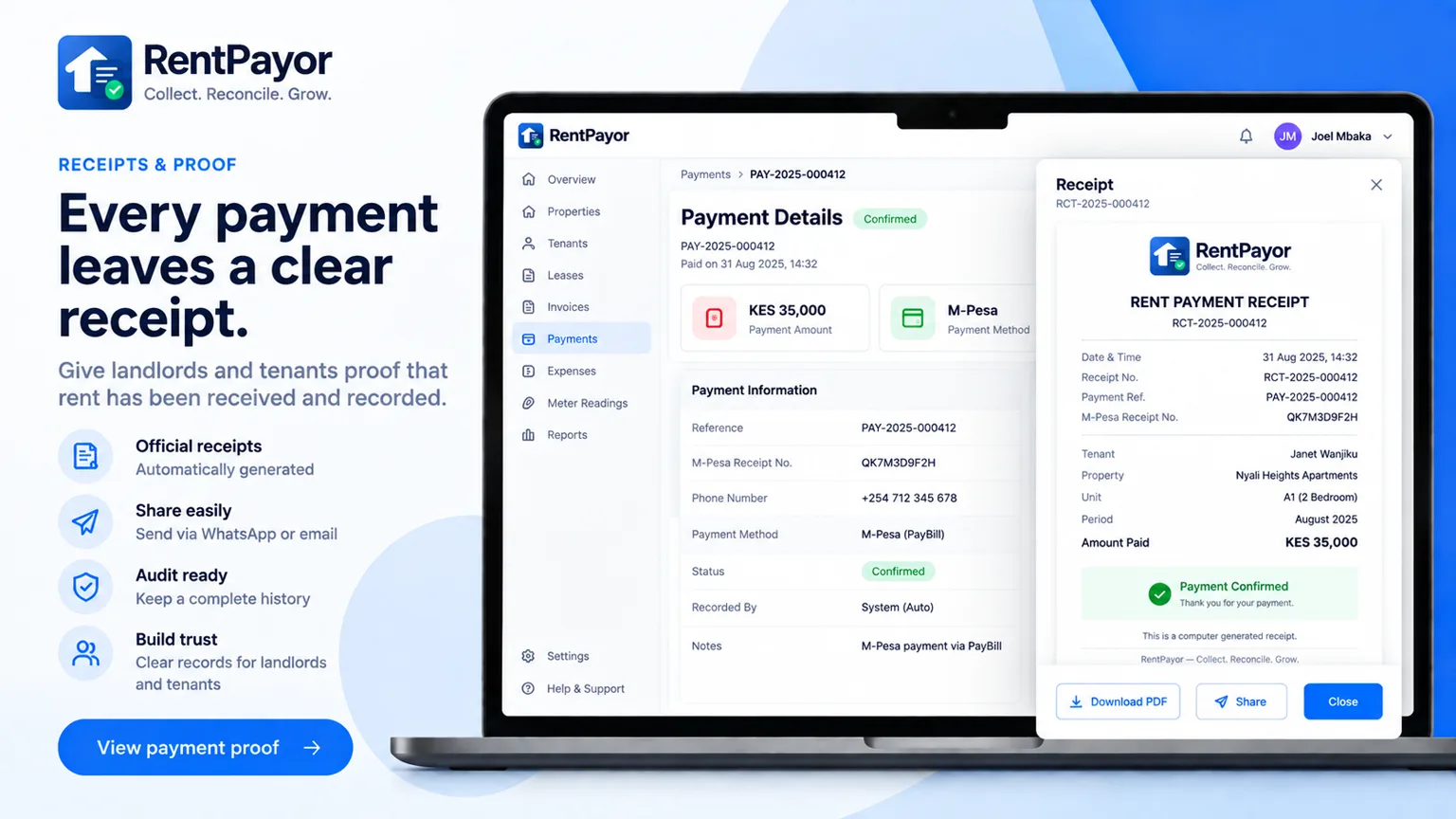
03 · Proof
The confirmed result remains available as a receipt, so the team can answer questions without reconstructing the story from messages and spreadsheets.
A payment below the invoice amount leaves the remaining balance outstanding for follow-up.
RentPayor applies what is needed and carries the excess forward as tenant credit.
Connected to collection
A bank account, M-Pesa Paybill, or M-Pesa Till can receive the funds while RentPayor keeps the invoice and payment record connected.
See M-Pesa rent collection