
Run operations from the dashboard
Work across properties, owners, tenants, payments, leases, invoices, expenses, reports, activity, and settings from one web workspace.
Learn moreRent operations for landlords & property managers in Kenya
RentPayor connects properties, tenants, leases, invoices, M-Pesa payments, arrears, expenses, receipts, and reports so your team works from one live rent record.

RENTPAYOR PRODUCT DEMO
Watch a property manager create a lease and first invoice, then follow the same invoice into the tenant app, through M-Pesa checkout, and into its paid state with the payment record and receipt attached.
1 · Create the lease
Set the tenant, property, monthly rent, deposit and service charge.
2 · Generate the invoice
RentPayor creates the first invoice directly from the lease terms.
3 · Tenant pays with M-Pesa
The tenant opens the invoice and starts M-Pesa checkout in the app.
4 · Record the payment
The payment, balance and receipt stay connected to the same invoice.
A live view of the portfolio
The dashboard brings together active tenants, arrears, overdue rent, expiring leases, payment totals, expenses, cash-flow trends, and recent activity, with dedicated workspaces for the underlying portfolio records.
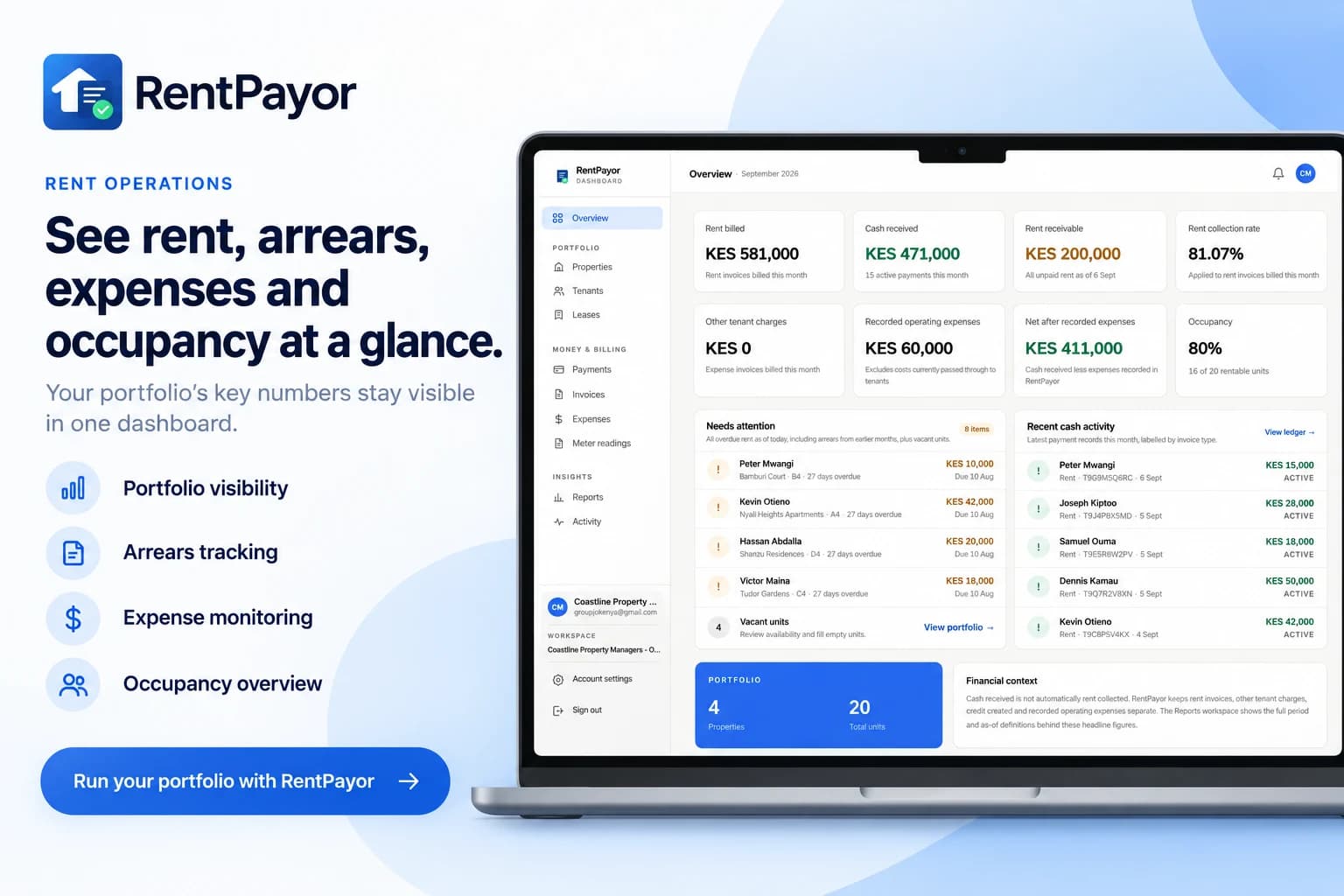
Portfolio overview and arrears
Payments, invoices, and leases
Expenses, reports, and activity
What RentPayor now covers
Work across properties, owners, tenants, payments, leases, invoices, expenses, reports, activity, and settings from one web workspace.
Learn moreConfigure a supported bank account, M-Pesa Paybill, or M-Pesa Till as the rent destination while keeping the payment tied to the invoice.
Learn moreWhen an online payment is confirmed, RentPayor records it against the correct invoice and updates the balance automatically.
Learn moreInvoices, partial payments, credits, arrears, receipts, payment history, tenants, units, properties, and leases remain linked.
Learn moreMultiple staff logins keep rent follow-up and tenant records inside one organization instead of one person’s account.
Learn moreRentPayor mobile notifications can bring a signed-in user back into the relevant workflow without making them hunt for the record first.
Learn moreRent destinations
Use the rent destination that matches how the landlord or property manager already receives money. RentPayor does not hold landlord funds.
Bank account
M-Pesa Paybill
M-Pesa Till
How online rent collection works
Set up the tenant, unit, and lease so the rent invoice starts with the correct amount and billing period.
Use a supported bank account, M-Pesa Paybill, or M-Pesa Till as the destination for rent collection.
The tenant approves the invoice-linked M-Pesa prompt using their normal M-Pesa PIN flow.
The confirmed payment is validated, applied to the invoice, and reflected in the dashboard automatically.
Multi-role organization access
Staff can log in under the same organization so rent follow-up, tenant records, payment review, and daily property work are not tied to one person’s account.
Mobile notifications
RentPayor mobile notifications can route a signed-in user back into the relevant workflow, reducing the time spent searching for the record behind the alert.
Simple pricing
Any number of properties or units. Any rent collection volume. The RentPayor monthly fee stays KES 5,000.
Frequently asked questions
RentPayor is a property management and rent-operations product for landlords and property managers. The web dashboard covers properties, owners, tenants, leases, invoices, payments, expenses, reports, activity, arrears, and reconciliation, with mobile apps for on-the-go work and notifications.
A supported bank account, M-Pesa Paybill, or M-Pesa Till can be configured as the rent destination. RentPayor does not hold landlord funds.
Yes. Confirmed online payments are validated and recorded against the invoice that initiated the collection request, updating the paid amount and balance automatically.
Yes. Team access is designed so multiple staff can log in under the same organization and share rent follow-up, tenant records, and day-to-day operational work.
Yes. RentPayor mobile notifications can route a signed-in user back into the relevant workflow, helping the team return to work that needs attention.
RentPayor costs KES 5,000 per month flat for any number of properties or units and any rent collection volume. Approved property management firms can request a one-month pilot.

Use RentPayor on the web for daily property operations, and use the mobile apps for on-the-go work and notifications.